

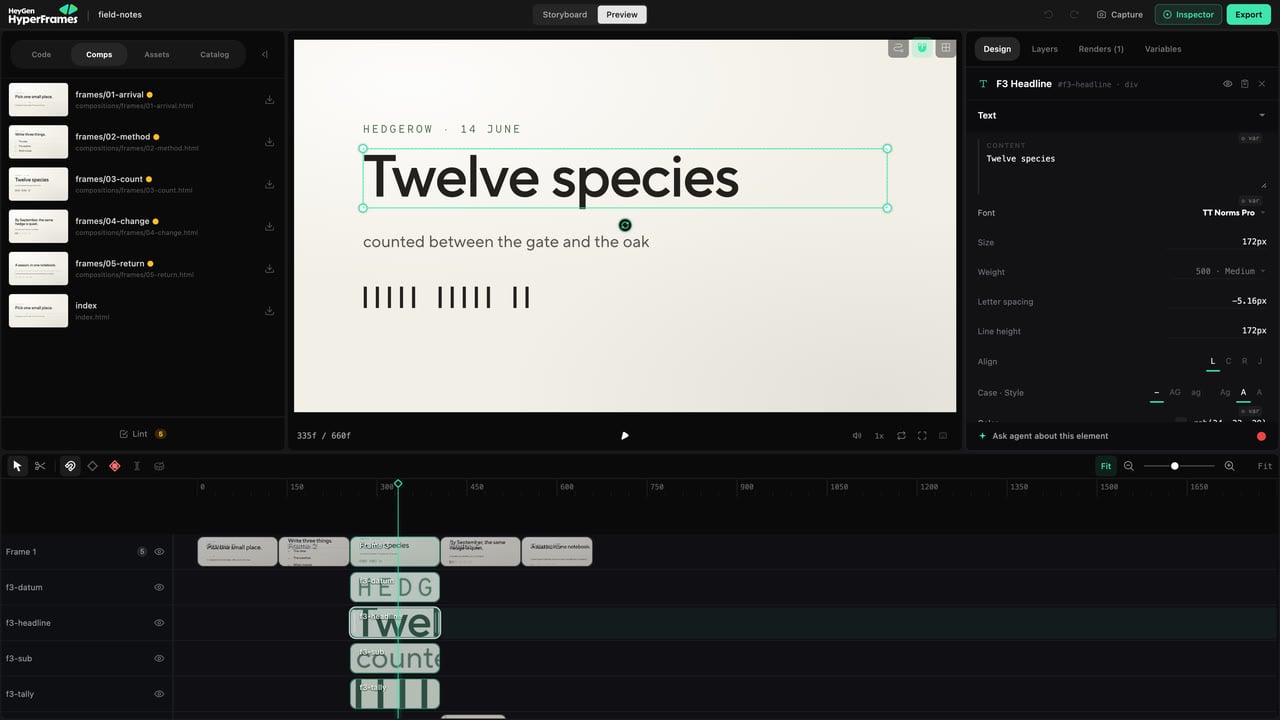
The Design inspector shows the controls that apply to the selected element.
Common tasks
- Text: wording, font, weight, size, line height, alignment, and spacing.
- Layout: position, size, spacing, and alignment.
- Style: fill, border, radius, opacity, shadow, and visual effects.
- Media: source, fit, crop, and element-specific playback settings.
- Motion: animation and keyframes.
- 3D: supported perspective and transform controls.
- Grade: color adjustments for images and video.
Make one type of change at a time
If the element feels wrong, identify whether the problem is:- the content;
- the hierarchy;
- the layout;
- the visual style;
- the timing;
- the motion.
Check readability
After styling text:- view it at the final output size;
- play the full entrance and exit;
- check contrast over every background it crosses;
- confirm it remains on screen long enough to read.